
ES-Pro
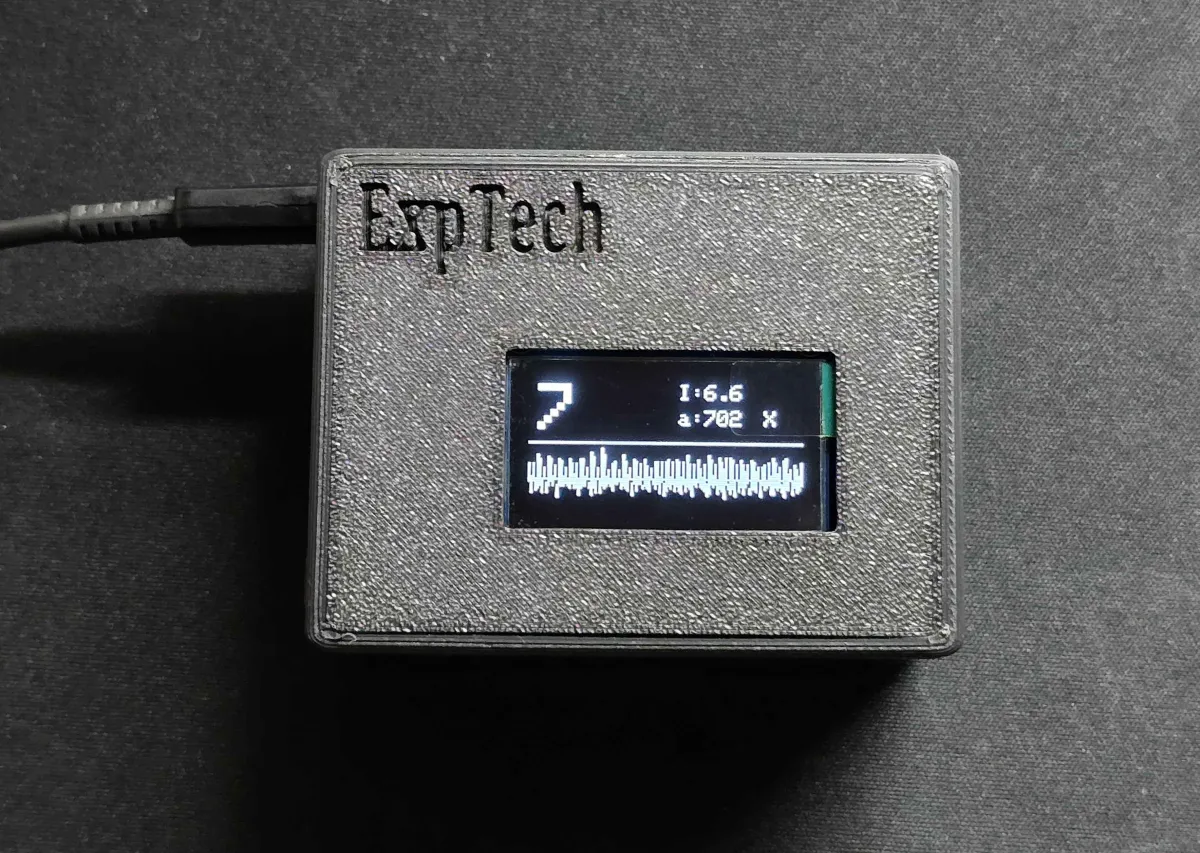
ES-Pro matches ES-Net for measurement, time sync, and communication. It also has an OLED screen and a buzzer, so you can see this unit’s seismic intensity and waveform without a computer or a phone. For setup, see Installation and Wi-Fi setup.
Specifications
Section titled “Specifications”| Item | Value |
|---|---|
| Dimensions (L × W × H) | 70 × 54.5 × 34 mm |
| Protection rating | IP10 (not waterproof; indoor use only) |
| Screen | OLED, 128 × 64 |
| Buzzer | Yes |
| Power | USB Type-C, 5 V |
The sensor, time sync, and communication specifications match ES-Net. See ES-Net specifications.
Hardware versions
Section titled “Hardware versions”| Version | Description |
|---|---|
| 2.0 | The older board. |
| 3.0 | A new board. It uses the same circuit board as ES-Net 3.0. |
Every hardware version uses the same ES-Pro firmware. The seismometer detects the version when it boots. The current hardware version is shown at the bottom of the screen. See Boot screen below.
Screens
Section titled “Screens”Boot screen
Section titled “Boot screen”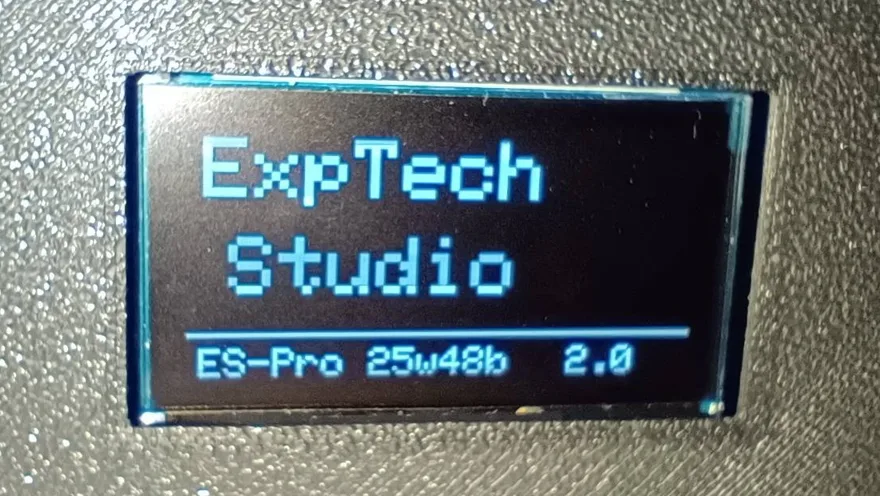
The bottom row is the model, the firmware version, and the hardware version, in that order. For example, ES-Pro 25w48b 2.0. For about 60 seconds after boot, the screen shows the device ID and the percentage of data collected. Intensity is not calculated during this time. When you contact ExpTech, provide the device ID shown here.
Main screen
Section titled “Main screen”After 60 seconds of data have been collected, it switches to the main screen:
| Position | Contents |
|---|---|
| Large text at the upper left | Intensity class |
I: |
Instrumental seismic intensity |
a: |
Acceleration value used for instrumental seismic intensity (gal) |
O / X at the upper right |
Connection to the ExpTech server: O connected, X not connected |
O / X at the lower right |
Time sync: O synced, X not synced yet |
| Lower half | Waveform for about the last 12.8 seconds |
Not-networked mode and standalone mode do not connect to the server. X at the upper right is normal.
Other screens
Section titled “Other screens”| Screen | Meaning | What to do |
|---|---|---|
BLE Pairing |
Pairing mode. Waiting for Wi-Fi setup with ExpTech Home. The screen shows the station name | Set up Wi-Fi by following Installation and Wi-Fi setup |
BLE OTA |
BLE OTA mode. Waiting for a firmware update with ExpTech Home. Progress is shown during the update | Update by following Firmware updates and recovery |
Error / Register failed. Device unauthorized. |
The ExpTech server did not accept this seismometer’s registration | Contact ExpTech and provide the device ID |
Error / Version rollback detected. Halted. |
Firmware older than the previous version was installed, and the seismometer stopped | Flash the latest firmware with the USB recovery tool |
Buzzer
Section titled “Buzzer”The buzzer sounds from the seismic intensity this seismometer measures:
| Intensity on this unit | Sound |
|---|---|
| 2 or higher | 3 short beeps |
| 4 or higher | 5 long beeps |
It beeps only once for the same shaking. It can trigger again only after the intensity drops.