
Skip to content
Console

DPIP beta

Use the next version of DPIP

Join the TestFlight or Google Play beta to use features still in development. The beta can still have problems. Your reports help us fix them before the stable release.

PrereleaseLatest beta 26w46c· Nov 14, 2026Release notes

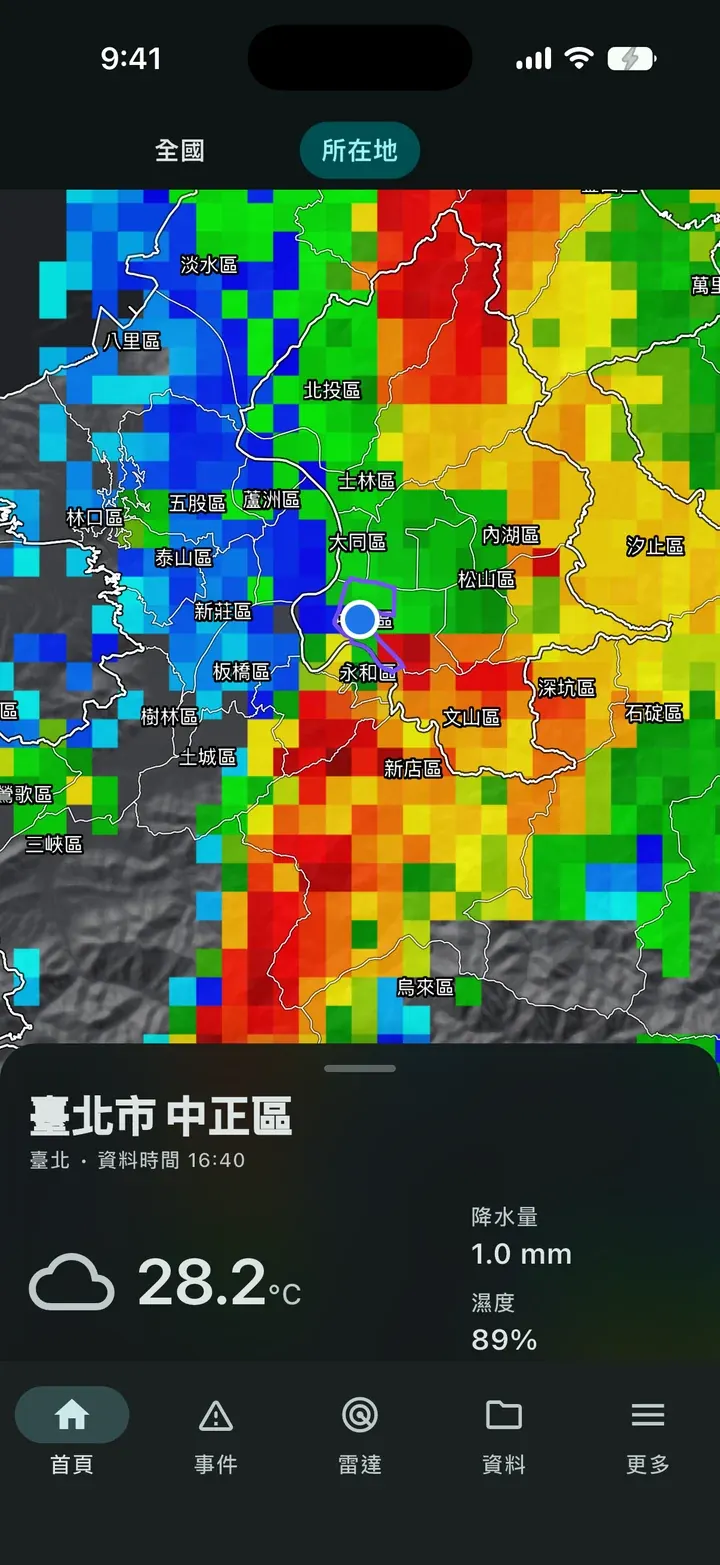
DPIP home screen: radar map for your location and the current weather

Join the beta

Choose your device

iPhone and iPad join through TestFlight. Android joins through Google Play. After you join, betas update in TestFlight or Google Play.

iOS (TestFlight)

iPhone and iPad

Install the DPIP beta with Apple TestFlight.

  1. 01On an iPhone or iPad, open the invite link and install TestFlight when asked.
  2. 02Accept the invite in TestFlight and install DPIP. Later betas update from TestFlight too.
  3. 03If something goes wrong, use Send Beta Feedback in TestFlight, or send a screenshot.
Open TestFlight

Android (Google Play)

Android phones and tablets

Join the DPIP beta on Google Play with a Google account.

  1. 01Open the link with the Google account you want on the beta, then join.
  2. 02Go back to Google Play and install or update DPIP. A new beta shows up as an update.
  3. 03You can send private feedback in Google Play, and add detail on Discord.
Open Google Play

Notes

The beta differs from the stable release

A prerelease feature can still change. Use the beta when you have time, and help us record problems you can reproduce.

Read the DPIP changelog
  • The two platforms ship at different times

    iOS and Android use different review and release processes, so the same version may not appear on both at once. Go by the version shown in TestFlight or Google Play.

  • In an emergency, use official information

    The beta can misbehave, or work differently from the stable release. Do not use it as your only source of information for disaster response or emergency alerts.

Report a problem

Report it on Discord

Discord is the main place for reports. After you join, follow the reporting guide in the server so we can confirm the problem and track it.

Report on Discord

What to include

  1. 01

    Summary

    What happened, in one sentence.

  2. 02

    Steps to reproduce

    What you did, from opening the app until the problem appeared.

  3. 03

    Expected and actual result

    What you expected to see, and what happened.

  4. 04

    Environment

    App version, phone model, and OS version.

  5. 05

    Screenshot or recording

    When you can share it safely, include a screen that shows the problem.

Cover personal information before you take a screenshot. Do not send a notification ID, contact details, a precise location, or anything else we do not need.